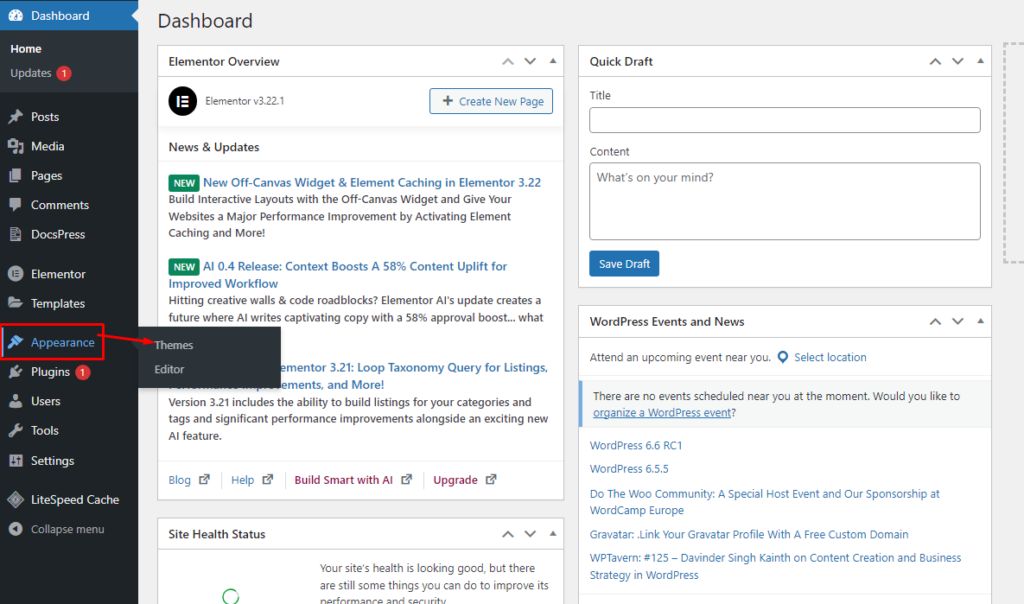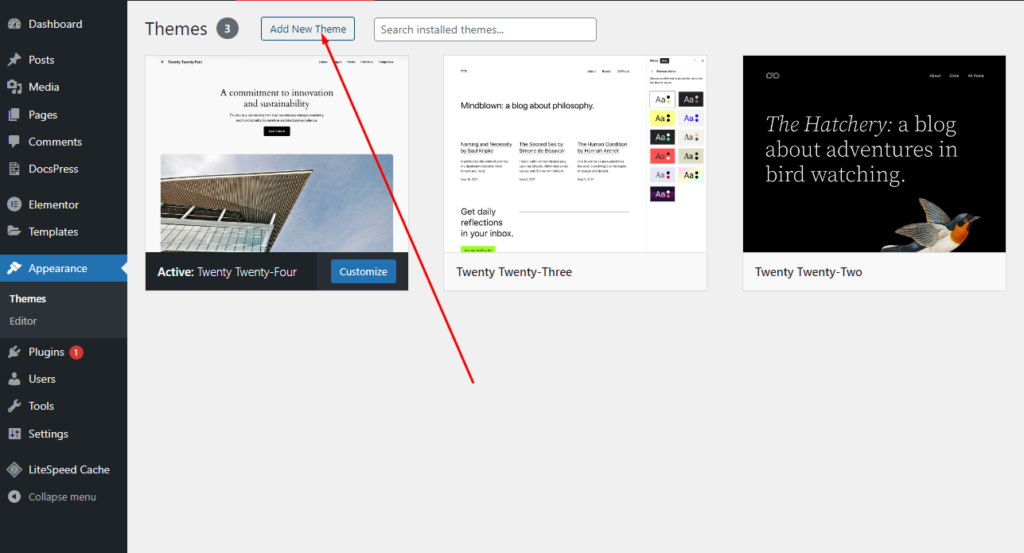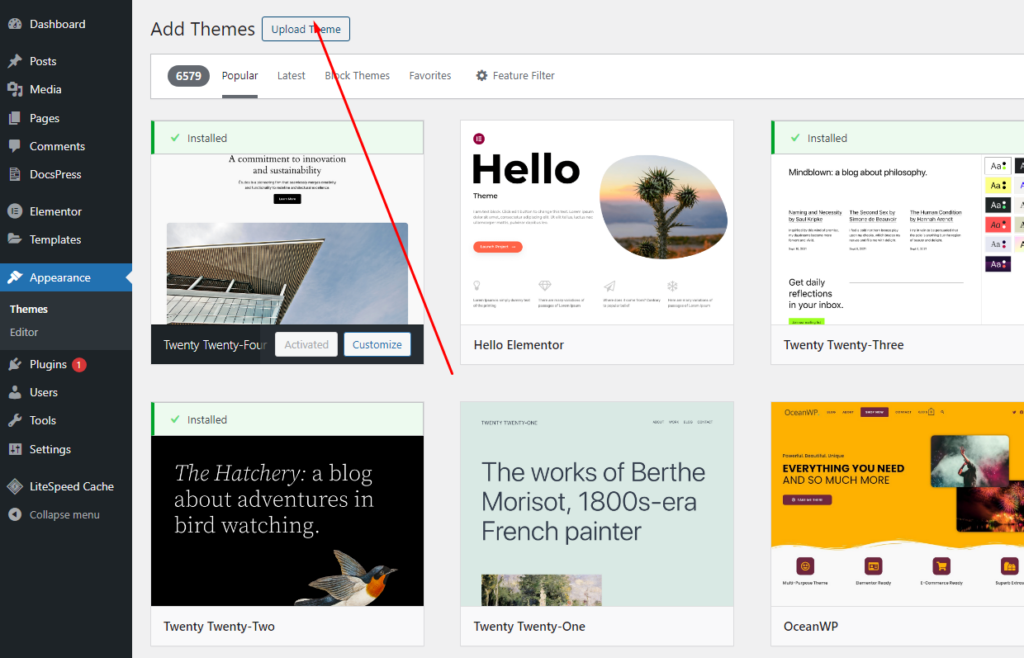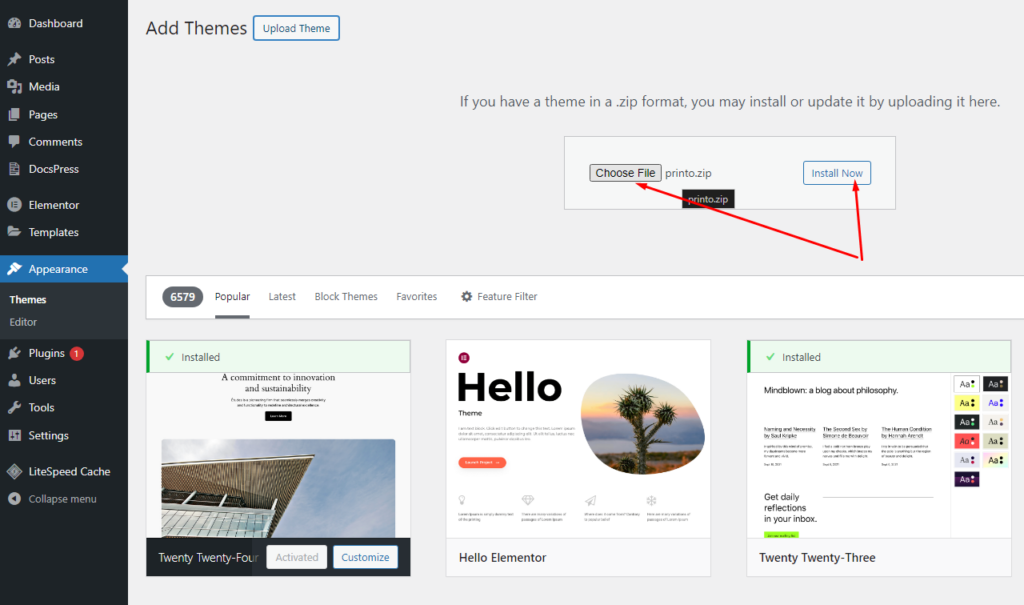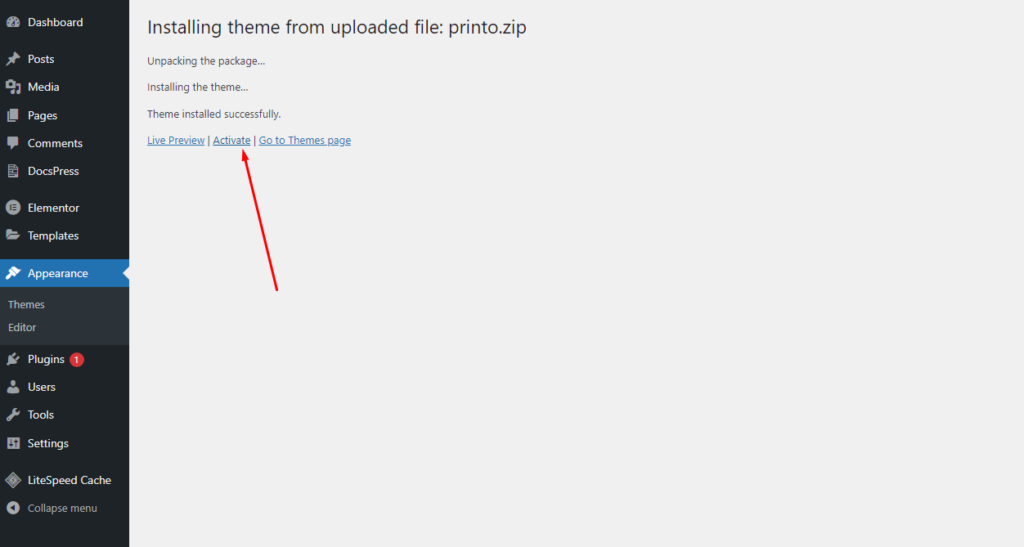
First of all you must first upload the theme and activate the theme. You can upload the theme in two ways:
- WordPress Upload: Navigate to Appearance -> Themes -> Add New -> Upload. Go to browse, and select the zipped theme folder. Click “Install Now” and the theme will be uploaded and installed.
- FTP Upload: Using your FTP client, upload the non-zipped theme folder into the /wp-content/themes/ folder on your hosting server.
After uploaded the theme you need to activate it. Go to Appearance -> Themes and activate the theme.