
The Templates tab allows you to save and reuse frequently used prompts.
This is especially useful when you want a consistent visual style across many WooCommerce products.
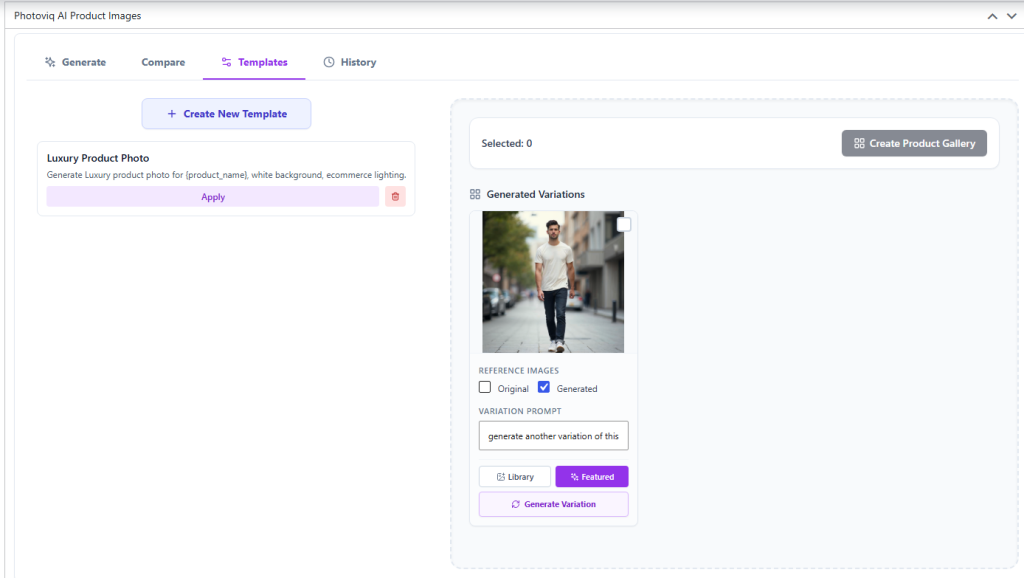
Creating a New Template
Click:
Create New Template
Create a reusable prompt template for your preferred image generation style.
For example:
Template Name:
Luxury Product Photo
Prompt:
Generate luxury product photo for {product_name}, white background, ecommerce lighting.
Using {product_name} allows the same template to work dynamically with different WooCommerce products.
Applying a Template
To use a saved template:
- Open the Templates tab.
- Find the template you want to use.
- Click Apply.
The saved prompt can then be used in your product image generation workflow.
Deleting a Template
To remove a template, click the Delete icon associated with that template.
Use this option for templates that are no longer needed.