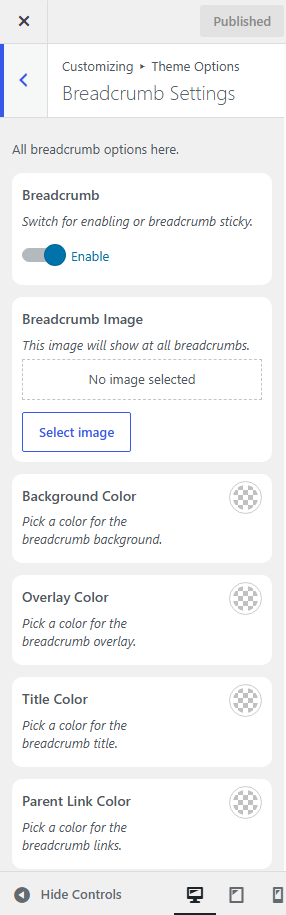
Breadcrumb Settings
The Breadcrumb Settings panel allows you to enable or disable the breadcrumb area and customize its appearance across your website.
How to Access
Navigate to:
Appearance → Customize → Theme Options → Breadcrumb Settings
Available Options
- Enable Breadcrumb
Turn the breadcrumb section on or off for your website. - Breadcrumb Image
Upload a custom background image to display in the breadcrumb area. If no image is selected, the default background will be used. - Background Color
Choose a background color for the breadcrumb section. - Overlay Color
Set an overlay color to improve text readability over the background image. - Title Color
Customize the color of the page title displayed in the breadcrumb. - Parent Link Color
Change the color of the breadcrumb navigation links (e.g., Home → Services → Service Details).
Note: Changes made in the Customizer are displayed in real time. Click Publish to save your settings and apply them to your website.