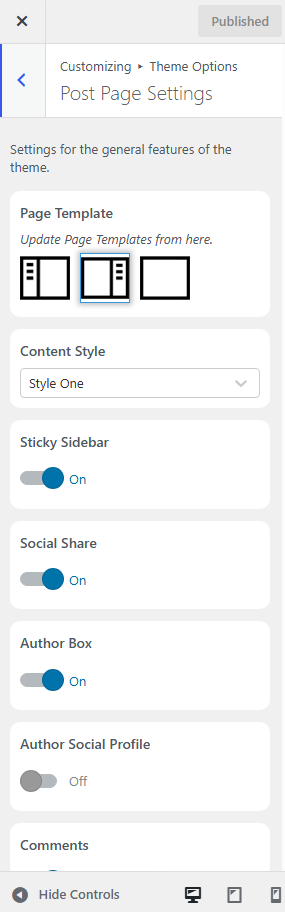
The Post Page Settings panel lets you customize the layout and display options for your blog posts.
How to Access
Navigate to:
Appearance → Customize → Theme Options → Post Page Settings
Available Options
- Page Template
Choose the sidebar layout for your blog posts:- Left Sidebar
- Right Sidebar
- No Sidebar (Full Width)
- Content Style
Select the design style for your post content from the available options. - Sticky Sidebar
Enable or disable the sticky sidebar. When enabled, the sidebar remains visible as visitors scroll through the post. - Social Share
Show or hide social sharing buttons on single blog posts. - Author Box
Display or hide the author information box at the end of each post. - Author Social Profile
Enable this option to display the author’s social media links in the author box. - Comments
Show or hide the comment section on blog posts.
Note: All changes are previewed instantly in the WordPress Customizer. Click Publish to save your changes.